Updated November 9, 2026

How to collect Starfall Shards

Mine the glowing meteorite rocks in the active meteor-shower area, collect their colored Starfall Shards, then visit Doris to exchange them for the matching rewards. Check your forecast and current event area before choosing a route.

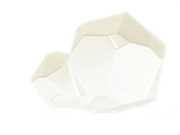
Starfall Shard collectible in Heartopia
Starfall Shard inventory image.
  1. Open the Smartwatch weather forecast and identify the meteor-shower window in server time.
  2. Go to the area named for the current shower. Onsen Mountain routes in January guides apply to that documented event area.
  3. Look for glowing rocks and use the normal rock-breaking tool. Collect the drops and note their colors.
  4. Find Doris near the active event area or its bus stop. Check the colors and quantities her current shop requires.
  5. If you cannot buy the item you want, keep the remaining shards and check the next event’s shop before exchanging colors.

Which route should I use?

For an Onsen Mountain shower, check the shoreline, cliffs, paths near the mountain lake and ruins. January guides show nine nodes there. Later player reports describe other event areas and back-to-back showers, so a fixed nine-pin mountain route cannot be assumed for every server event.

January Onsen route and Doris rewards Β· Later player reports on locations, colors and consecutive showers

Shards still present after the shower?

Recent players report that rocks can remain for 24 hours while Doris leaves earlier. Older guides restrict collection to the shower itself. Check the actual rocks and merchant on your server. A visible rock is worth checking even after the sky clears, but plan shopping during the forecast window.

What are shards used for?

Doris exchanges them for meteor-themed furnishings and related rewards. Match the shard color to the selected item. Published guides and players also describe exchanging white shards for other colors. Read the current exchange before confirming. The currency used for these rewards is Starfall Shards.

Original event guide Β· Doris guide Β· Town map

Updated: November 9, 2026 β€’ Rare Weather Event

🌠 Heartopia Meteor Shower Guide

Use the Smartwatch forecast to catch Heartopia meteor showers, pick a clear viewing spot, take night-sky photos, and use the wish emote with friends.

Time Window 6 PM - 12 AM
Timezone Server Time
Forecast Icon πŸŒ™ + ✨
Action Make a Wish

Quick Answer

When to Check

Open the Smartwatch weather forecast and look for the meteor shower icon. The useful window is usually 6 PM - 12 AM server time.

Where to Stand

Choose open sky areas such as Onsen Mountain, Crater Lake, Meadow Lake, bridges, rooftops, or wide roads without tall trees blocking the view.

What to Do

Use the wish emote while meteors are falling. For the friend achievement, gather together first, then trigger the emote during the shower.

Photo Tip

Switch to photo mode after the sky is active. For camera controls and scenic quests, see the photo guide.

1 How to Predict a Meteor Shower

You don't need to guess! Heartopia has a built-in forecast system on your wrist.

  1. Open your in-game Smartwatch.
  2. Tap the small Weather Icon (top right corner).
  3. Look at the forecast for the upcoming week.
  4. Goal: Find the icon showing a Moon surrounded by Stars.
πŸ•’
Important Note on Time: The event happens 6:00 PM - 12:00 AM Server Time. If your server is in a different timezone than you, check the Server Clock in your settings!

2 How to Wish Upon a Star

There is a special achievement called "Beneath the Meteor Shower". Here is how to unlock it:

πŸ™

Use the Emote

Open your Emote menu and select the "Wish Upon Shooting Star" action. Your character will clasp their hands and look up.

πŸ‘₯

Do it with Friends

The achievement triggers when you wish together with friends while the meteors are falling.

3 Meteor Shower Locations & Photo Spots

Meteor showers are easiest to enjoy in places where the skyline is not blocked. Move away from dense trees, tall walls, and busy interiors before the event starts.

Onsen Mountain / Crater Lake

High terrain gives a wider sky view, which makes it good for meteor shower photos and aurora screenshots.

Meadow Lake / Bridges

Water reflections and open paths help you frame the sky without losing your character in the shot.

Home Rooftops / Wide Roads

Useful when you want a quick wish with friends and do not want to travel across the map.

Scenic Photo Quests

If a quest asks for a scenic night photo, wait until the meteor streaks are visible, then use the camera from photo mode.

4 Meteor Shower, Aurora & Rainbow Blessing

Sky Event Main Use Best Next Step
Meteor Shower Wish emote, friend achievement, night photos. Check forecast, gather friends, stand in an open area.
Aurora Colorful sky effect and photography. Use the aurora guide for timing and photo spots.
Rainbow Blessing Weather-related searches often appear alongside rare sky events. Check your Smartwatch forecast and related event pages before planning a route.

5 Don't Confuse with "Wishing Stars"

🌟

Wishing Stars are also an in-game currency used to buy rare furniture and clothes.

While the Meteor Shower event is fun, you primarily get the currency "Wishing Stars" from:

  • Daily Requests
  • NPC Gifts
  • Events (like Winter Frost)